Best Trip Planning Apps Compared
Short answer
The best trip planning apps depend on how you travel. TripIt is the top pick for automatically organising bookings, Wanderlog leads for collaborative day-by-day itineraries, Google Maps is the strongest free option, Roadtrippers suits road trips, and Polarsteps fits slow travellers. Most remote workers get the best results by combining two tools rather than relying on one.
Planning a trip used to mean a spreadsheet, a stack of confirmation emails and a browser with forty tabs open. For remote workers who move every few weeks, that chaos multiplies fast. You are juggling flights, accommodation check-in times, coworking day passes, visa windows and client calls across time zones. One missed detail can cost you a night's rent or a deadline.
The good news is that trip planning apps have matured. Today's best apps pull bookings straight from your inbox, map your days, track your route and even let travel companions edit the same itinerary in real time. The catch is that each tool is built around a different kind of traveller, and picking the wrong one leaves you working around the app instead of with it.
This guide compares the leading trip planners on what actually matters to location-independent professionals: organisation, collaboration, offline access, cost and how well they handle long, multi-stop journeys. By the end, you will know exactly which app, or which combination, fits the way you travel.
What Trip Planning Apps Need to Do for Remote Workers
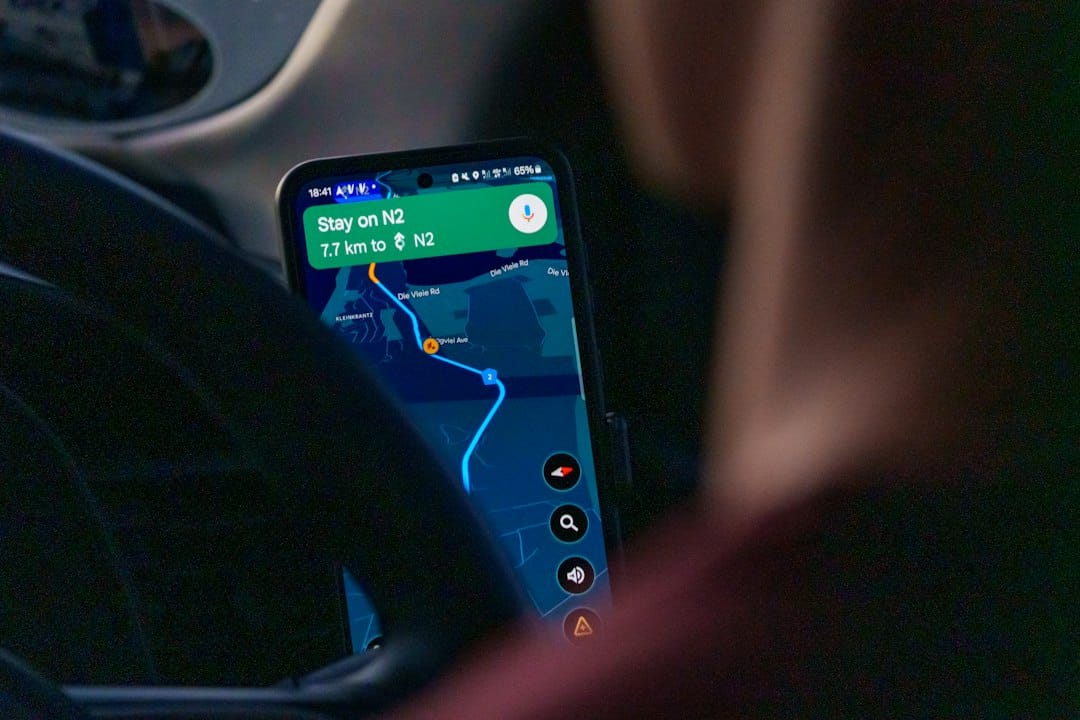
A weekend tourist needs a list of restaurants. A digital nomad needs a system. The core job of trip planning apps for remote workers is to hold every booking in one place, show it on a timeline you can trust and keep working when your connection drops. If an app cannot do those three things, it does not matter how pretty the interface looks.
Beyond the basics, look for automatic import from email, time zone awareness, document storage for things like visa approvals and insurance policies, and sharing options so a partner, client or travel buddy can see where you are. Offline access deserves special attention. Arriving in a new country before your local SIM is active is exactly when you need your accommodation address and transfer details most, which is why pairing a planner with a solid data plan, like the options covered in our Nomad SIM card review, makes such a difference.
Finally, think about pricing models. Most trip planners follow a freemium approach: the free tier covers the essentials, while a paid subscription unlocks extras such as real-time alerts, offline maps or route optimisation. For occasional travellers the free versions are usually enough. For anyone on the road full-time, one well-chosen subscription often pays for itself the first time it flags a gate change or a cancelled connection.
What Trip Planning Apps Need to Do for Remote Workers
Free tiers suit occasional travellers; a subscription earns its keep on the road full-time.
Illustrative figures — composed for shape, not sourced
TripIt: Best for Automatic Itinerary Organisation
TripIt has been the go-to itinerary organiser for frequent travellers for years, and its party trick is still the best in the business. Forward a flight, hotel, car hire or train confirmation to TripIt, or connect your inbox, and it builds a clean master itinerary automatically. No copying booking references, no manual timelines. For anyone booking travel on the fly between work sprints, that alone saves hours.
The free version handles organisation and sharing well. TripIt Pro, the paid tier, adds real-time flight alerts, notifications about delays and gate changes, and tools for tracking better seats and alternative flights. It is especially strong for remote workers who still travel for client meetings or conferences, since it handles business-style itineraries with lots of moving parts.
Where TripIt falls short is inspiration and daily planning. It is brilliant at telling you when your flight leaves and less useful for deciding which neighbourhoods to explore or how to group sights on a map. Think of it as your logistics backbone rather than your creative planning space.
Wanderlog: Best for Collaborative Day-by-Day Planning
Wanderlog fills exactly the gap TripIt leaves. It combines an itinerary, a map and a notes space in one view, so you can drop cafes, coworking spaces and viewpoints onto specific days and instantly see how they cluster geographically. It also imports reservations from your email, giving you a reasonable blend of logistics and inspiration in one app.
Its standout feature is collaboration. Multiple people can edit the same trip in real time, much like a shared document, which makes it ideal for couples, friend groups or small families planning together. Built-in budgeting and expense splitting take the awkwardness out of settling up after a shared apartment or group dinner.
The free plan is generous enough for most trips. The paid Pro tier unlocks offline access and route optimisation, which reorders your stops for the most efficient day. If you are planning a dense city stay rather than a long, slow base, Wanderlog is arguably the most enjoyable planner to use.
Enjoying this? Get more like it.
Weekly picks for remote workers and digital nomads — tools, destinations, and honest takes, straight to your inbox.
Subscribe free →Google Maps: Best Free All-Rounder
Google Maps: Best Free All-Rounder
Experienced travellers use Google Maps to find places on top of a dedicated organiser.
Illustrative figures — composed for shape, not sourced
It is easy to overlook the app already on your phone, but Google Maps is a seriously capable planning tool. Saved lists let you collect restaurants, laundromats, gyms and coworking spaces for each city, and you can share those lists with anyone. Reviews, opening hours and photos sit right alongside each pin, so research and planning happen in the same place.
Downloadable offline maps are the hidden hero here. Saving a city area before you land means navigation keeps working when mobile data does not, which is invaluable on arrival day or in rural areas. Public transport directions, walking times and live traffic round out a toolkit that costs nothing.
The limitation is structure. Google Maps has no real itinerary timeline, so it will not tell you that check-out is at 11am and your bus leaves at 2pm. Most experienced travellers use it as the place-finding layer on top of a dedicated organiser like TripIt or Wanderlog.
Roadtrippers, Polarsteps and Rome2Rio: Best Specialist Tools
Roadtrippers, Polarsteps and Rome2Rio: Best Specialist Tools
Each specialist tool answers one question the general planners do not.
Illustrative figures — composed for shape, not sourced
Some journeys need a specialist. Roadtrippers is built for overland travel, mapping driving routes and surfacing campsites, diners, scenic stops and quirky attractions along the way. It shines brightest in North America, and the free plan caps how many waypoints you can add, with a paid Premium tier raising that limit. For van-life stints or a month-long drive between remote work bases, nothing else plans the road itself as well.
Polarsteps takes a different angle, quietly tracking your route via GPS in the background and turning it into a visual travel journal you can share with friends and family. It is perfect for slow travellers spending weeks or months in each place, the kind of rhythm explored in our guide to slow travel cities for digital nomads on a budget. You can also order a printed book of your journey, a lovely keepsake after a long stretch on the road.
Rome2Rio answers one question brilliantly: how do I get from here to there? Enter any two places and it shows flights, trains, buses, ferries and driving options with estimated journey times and prices. It is ideal when stitching together multi-country routes, especially in regions where budget carriers compete with overland options, like those covered in our ranking of the best budget airlines in Asia.
Notion: Best for Long-Term Nomad Planning Hubs
Notion is not a travel app, and that is exactly why so many full-time nomads love it. Its flexible databases let you build a planning hub that goes far beyond a single trip: a list of candidate cities with cost of living notes, a visa tracker with entry and exit dates, a packing checklist, and a log of coworking spaces you have tested. Plenty of free and paid travel templates exist to get you started.
This big-picture view is where Notion beats dedicated planners. If you are mapping out a year of moves, comparing housing options or tracking how many days you have spent in a particular visa zone, a custom database gives you control no off-the-shelf app can match. It also sits comfortably alongside the work tools many remote professionals already use daily.
The trade-off is effort. Notion will not import bookings automatically or send you a gate-change alert, and setting up a good system takes time. Treat it as the strategy layer, the place where you decide where to go next, and let TripIt or Wanderlog handle the minute-by-minute logistics.
Trip Planning Apps Compared Side by Side
Trip Planning Apps Compared Side by Side
Feature comparison of three leading trip planning tools for remote workers and digital nomads.
| Feature | TripIt | Wanderlog | Google Maps |
|---|---|---|---|
| Best Use | Automatic booking organisation | Collaborative day-by-day planning | Free local exploration and offline maps |
| Email Import | Yes, automatic | Yes, automatic | No |
| Real-Time Collaboration | Limited sharing | Full shared editing | List sharing only |
| Paid Tier Adds | Flight alerts and seat tracking | Offline access and route optimisation | Nothing needed: offline maps are free |
| Pricing Model | Freemium with Pro alerts | Freemium with Pro extras | Completely free |
Illustrative figures — composed for shape, not sourced
Put the tools next to each other and a clear pattern emerges. TripIt and Wanderlog are the only two that automatically pull bookings from your email, which makes them the natural choice for your core itinerary. Wanderlog leads on collaboration, while TripIt leads on real-time travel alerts through its Pro tier. Google Maps wins on offline navigation and cost, since everything it offers is free.
The specialists each own a niche. Roadtrippers owns the open road, Polarsteps owns route tracking and storytelling, Rome2Rio owns the question of how to get between places, and Notion owns long-range planning. None of them tries to do everything, and that focus is their strength. Almost every tool here follows a freemium model, so you can test the free version before committing to a subscription.
Common Mistakes When Choosing a Trip Planner
Common Mistakes When Choosing a Trip Planner
Four frequent pitfalls when selecting and using trip planning apps, and how to avoid each.
Expecting one app to do everything
CostAbandoning the tool when it lacks a single feature.
FixPair a logistics tool with a discovery tool deliberately.
Ignoring offline access until needed
CostLosing access to bookings and addresses on arrival day.
FixDownload offline maps and save key addresses before travel days.
Over-scheduling every hour
CostRigid itineraries turn client calls and rest into stress.
FixLeave buffer days and block work hours like any commitment.
Paying for subscriptions you will not use
CostMultiple premium tiers add up quickly without clear value.
FixStart free, upgrade only the tool where limitations frustrate you.
IllustrativeAdvice from the post above. No figures shown.
The most common mistake is expecting one app to do everything. Travellers download a single planner, find it weak at something, and abandon it altogether. Instead, accept that a logistics tool and a discovery tool are different jobs, and pair them deliberately. Another frequent error is ignoring offline access until the moment it is needed. Before every travel day, download your offline maps and make sure key addresses and booking references are saved where you can reach them without data.
Over-planning is the third trap. It is tempting to schedule every hour, but remote work rarely runs to plan, and a rigid itinerary turns a surprise client call into stress. Leave buffer days, block your working hours in the planner just like any other commitment, and protect your downtime. Constant movement without rest is a fast road to fatigue, something explored in depth in our guide to managing digital nomad burnout.
Finally, avoid paying for premium tiers you will not use. Subscriptions add up quickly when you stack several apps. Start on free plans, notice which limitation actually frustrates you, and upgrade only that one tool. For many travellers, a single paid plan plus free Google Maps covers every need.
How to Choose the Right Planning Stack for Your Travel Style
How to Choose the Right Planning Stack for Your Travel Style
Decision guide matching your travel rhythm to a recommended combination of trip planning tools.
Do you take frequent flights with many connections?
Does your trip involve a travel partner or group?
Match your rhythm to your stack, test it, then adjust.
Keep two or three tools you use consistently over six you open once.IllustrativeA rule of thumb from the advice above. No figures shown.
Start with how you travel, not which app has the slickest marketing. If you take frequent flights with lots of connections, make TripIt your foundation and add Google Maps for local exploration. If you plan trips with a partner or a group, Wanderlog's shared itineraries will save you endless message threads. If you are driving between bases, Roadtrippers should lead, with Google Maps as your offline backup.
Slow travellers who stay a month or more in each place need less day-by-day planning and more long-range thinking. A Notion hub for choosing destinations and tracking visa days, Polarsteps for documenting the journey and Rome2Rio for working out transfers is a lightweight, low-cost combination that fits this rhythm well.
Whatever you choose, keep the stack small. Two or three tools you use consistently will always beat six apps you open once. Give your setup a full trip to prove itself, then adjust. The goal is simple: spend less time managing travel and more time actually enjoying the places your work lets you live.
There is no single best trip planning app, but there is a best fit for you. TripIt takes the pain out of booking logistics, Wanderlog makes collaborative planning genuinely fun, Google Maps delivers powerful features for free, and specialists like Roadtrippers, Polarsteps, Rome2Rio and Notion each solve a specific problem better than any all-in-one app could.
Pick one organiser for your bookings, one tool for discovery or navigation, and add a specialist only if your travel style demands it. Test the free tiers first, upgrade only where it truly helps, and let your planning system fade into the background so the trip itself can take centre stage.
FAQ
what is the best trip planning app for remote workers
There is no single best option, but the choice depends on your travel style. TripIt excels at automatic itinerary organisation and real-time flight alerts, Wanderlog is best for collaborative planning with partners or groups, Google Maps offers powerful free features, and specialists like Roadtrippers and Notion serve specific needs like road trips or long-term planning.
can trip planning apps work offline
Yes, several apps offer offline access. Google Maps lets you download city areas before arrival for free navigation without mobile data. Wanderlog's paid Pro tier unlocks offline access, and offline maps are essential for arriving in a new country before your local SIM is active.
how do I import my flight bookings automatically
TripIt and Wanderlog are the only two apps that automatically pull bookings from your email inbox. You can forward confirmation emails directly to TripIt or connect your inbox to either app, and they will build a clean master itinerary without manual copying of booking references.
which trip planner is best for planning with others
Wanderlog's standout feature is real-time collaboration, allowing multiple people to edit the same trip like a shared document. It also includes built-in budgeting and expense splitting, making it ideal for couples, friend groups or small families planning together.
Sources
Illustrative, composed for shape rather than sourced: How to Choose the Right Planning Stack for Your Travel Style; Common Mistakes When Choosing a Trip Planner; Trip Planning Apps Compared Side by Side. Updated 30 Oct 2026.